Docs · Your account and help
Your data: export, erase and delete
Your data is yours. Download all of it whenever you like, erase one person when they ask, or delete your account.
Download your data
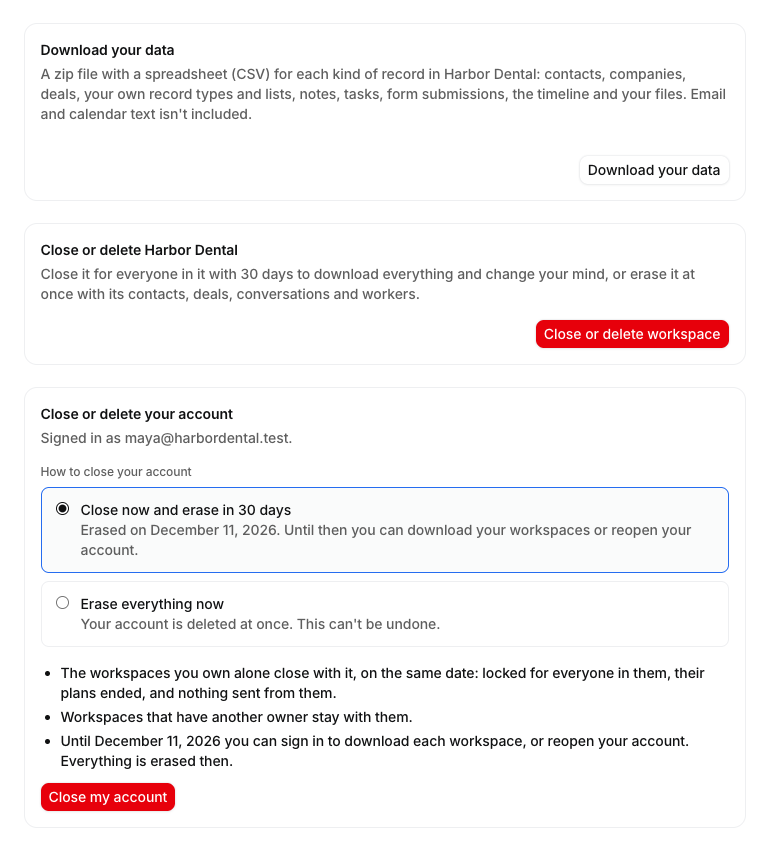
Open Settings › Account and choose Download your data. Only the workspace's owners can do this, and they still can while it's closing, from its closure page, until it's erased.
You get a zip file straight away, with a spreadsheet (CSV) for each kind of record: contacts, companies, deals, your own record types and lists, notes, tasks and the timeline. It also has your stored files and a list of them; any that are too big to fit in one download are listed with the reason. The text of your email and calendar isn't included: that stays in Gmail or Outlook.
Erase a person
When someone asks you to delete everything you hold about them, open their contact, choose More actions, then Erase this person. Owners and admins can do this.
- It removes them and everything about them from the workspace. It can't be undone; to keep their history, delete the contact instead.
- Also stop all future emails to this address from your account is ticked to start with. It stops workers, sequences and newsletters from emailing them, and the address shows on your do-not-email list as erased by your team. It doesn't yet stop a reply someone on your team writes in the inbox, so let your team know not to reply to them.
- Type erase and choose Erase for good to confirm.
Close a workspace or your account
Both are in Settings › Account, and both give you two choices:
- Close now and erase in 30 days is selected to start with. A closing workspace is locked for everyone in it straight away, and nothing is sent from it: sequences, workers and scheduled emails stop. Its plan ends at once if it's your account's last open workspace, and otherwise stays with your other workspaces. Until the erase date, its owners can sign in to download everything or reopen it. Then it's erased.
- Erase everything now can't be undone, so download your data first. It leaves our database at once, and your stored files and Emrg's access to your mailbox go shortly after.
Any owner of a workspace can close it. Only its sole owner can erase it at once, so if it has two owners, either can choose Close workspace, and to erase it now one makes the other an admin first.
Closing your account closes the workspaces you own alone, on the same date. Workspaces that have another owner carry on without you. To erase everything now instead, if you're the only owner of a workspace, first make someone else an owner of it, or erase it.
Reopening brings a workspace back for everyone in it, but its sequences and workers stay paused until an owner resumes them, and if its plan ended when it closed, it doesn't come back by itself: choose one again in Billing.
Erased data drops out of our backups within 35 days of the erasure. What we keep afterwards, and why.
What workers remember
Workers learn from your edits, rejections and notes. On each worker's page, What it learned lists what it remembers. Owners and admins can edit an item or remove it so the worker stops using it. Removed items are kept, not deleted, until the workspace is erased.
Got an email through Emrg and want no more?
That's for people outside your business. Remove your email from Emrg explains how, or they can write to privacy@emrg.ai.
Still stuck?
Email support@emrg.ai from the address you use for Emrg, with the name of your workspace, and a person will reply.