Docs · Get work done
Forms, booking pages and website chat
Forms, booking pages and a chat box for your website, all free. A visitor who leaves an email or phone number lands in Emrg as a contact, so nobody waits for a reply because it got lost.
First, the name visitors see
Your forms and booking pages show your business's name. It's your workspace's name unless an owner or admin changes it in Settings › Workspace, under Name on your public pages. Use your trading name if it's different.
Forms
- Open Forms under Grow in the sidebar and create one. It starts with a short intro that names your business, which you can change.
- Choose the fields to ask for, and the message people see after sending it.
- Choose Publish. Until you do, visitors see that the form isn't available.
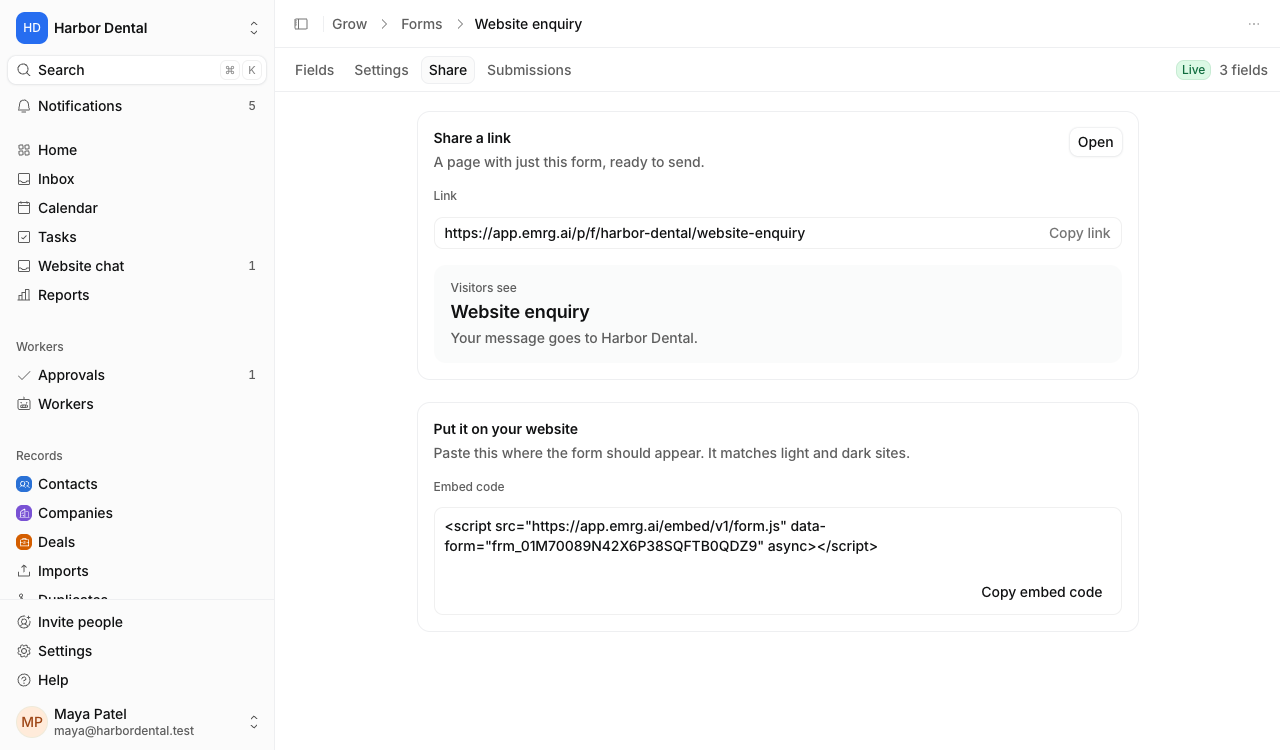
- On the form's Share tab, choose Copy link to share a page Emrg hosts for you, or Copy embed code to put the form on your own website. Paste the code where the form should appear, or send it to whoever looks after your site.
Booking pages
- Open Booking pages under Grow and create one, with its time zone.
- Set your weekly hours, the break between meetings, how much notice you need, and how far ahead people can book.
- Share its link, or add it to your website from its Share tab.
With your calendar connected, Emrg hides times you're already busy and adds each booking to your calendar with the visitor as a guest. Visitors see times in their own time zone, and get a link to reschedule or cancel.
Website chat
- Open Settings › Website chat and set it up: when to ask for the visitor's email, an away message, and which websites may show the chat.
- Copy its code onto your website.
- Answer chats from Website chat in the sidebar. The number beside it is how many are waiting for a reply.
By default, only your team answers. Once you've hired Lead Responder on a paid plan, you can choose Lead Responder answers when nobody has or Lead Responder answers first. Its replies are labelled AI for the visitor, and they use credits.
Where new leads land
- Each enquiry with an email or phone number creates a contact, or updates the one with that email, and notes where it came from, such as "Form: Website enquiry". A chat does this once the visitor gives their email.
- Forms and bookings also open a deal in your pipeline, unless that person already has one open. You can change this per form or page.
- On a paid plan, Lead Responder can draft a reply to each new enquiry, with your booking link when a call fits. By default, it asks you before it sends. If Settings › Billing says "Payments open soon", workers can't start yet, so answer new enquiries yourself meanwhile.
Leads always land, even if your workspace is at its record limit. The free plan takes up to 1,000 form entries, 500 bookings and 1,000 chats a month; paid plans take far more.
No calendar connected?
Booking pages still work, using only the hours you set. Connect your calendar so people can't book over your other meetings.
Still stuck?
Email support@emrg.ai from the address you use for Emrg, with the name of your workspace, and a person will reply.